NextClip Logo
Trusted by 14,000+ creators and teams.

Clipped, Captioned, and Posted Everywhere On Autopilot

Upload any long video or paste a YouTube link. NextClip's AI finds the viral moments, adds viral hook text, captions, B-roll, and visuals, then posts your polished shorts straight to TikTok, Instagram Reels, and YouTube Shorts.

What You Get

Raw Footage to Post-Ready Shorts. In Minutes.

No timeline wrestling. No manual B-roll hunting. No caption cleanup. Upload once. Let the AI work. Post.

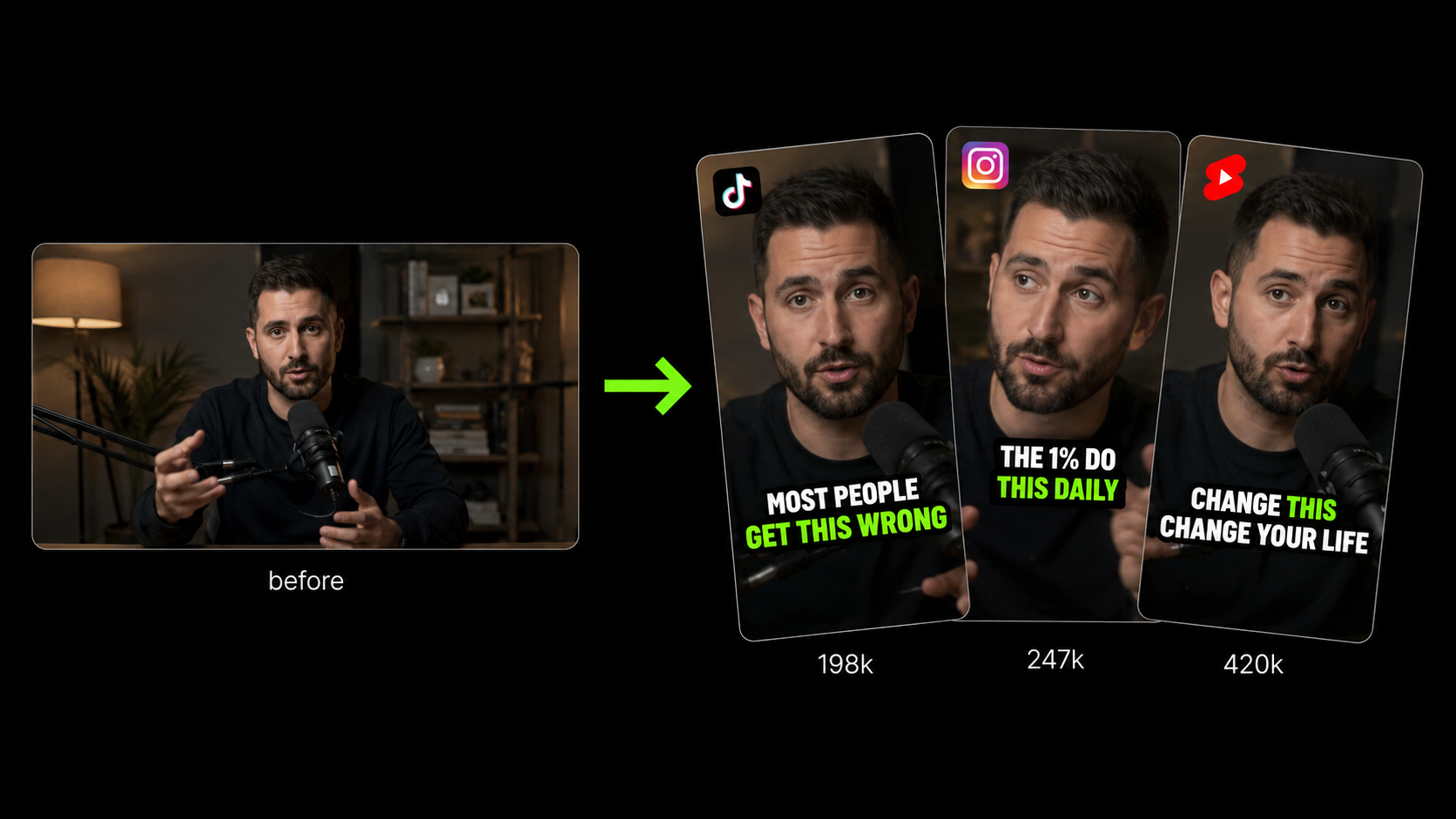
Find Your Best Clips on Autopilot

Find Your Best Clips on Autopilot

Upload your video and the AI finds the most engaging moments for you. Each clip is reframed, captioned, and sized for every platform — no manual searching needed.

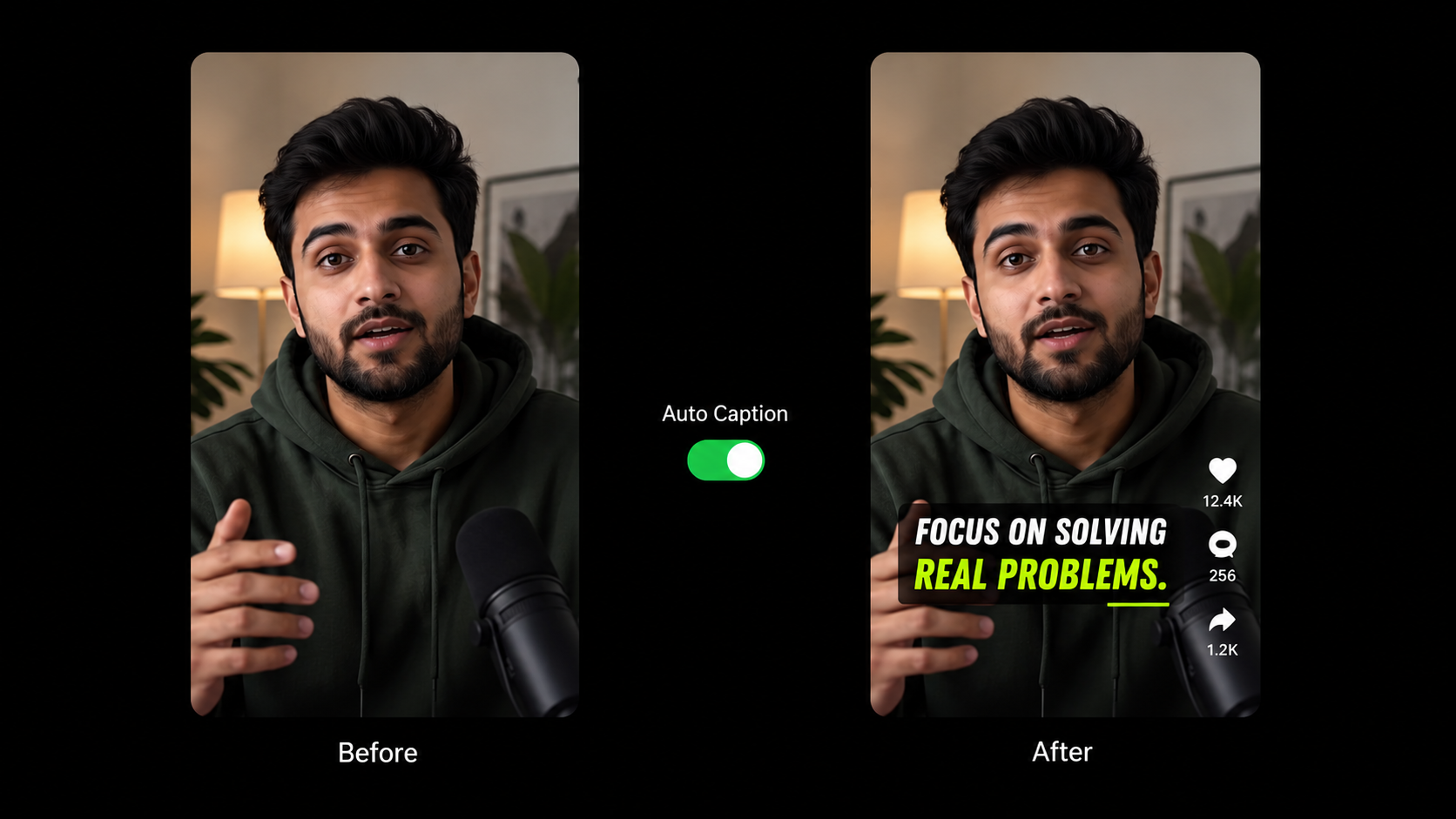
Auto Captions That Actually Pop

Auto Captions That Actually Pop

Captions are added to your video automatically using templates that stand out. Change the font, color, and animation to match your style in just a few clicks.

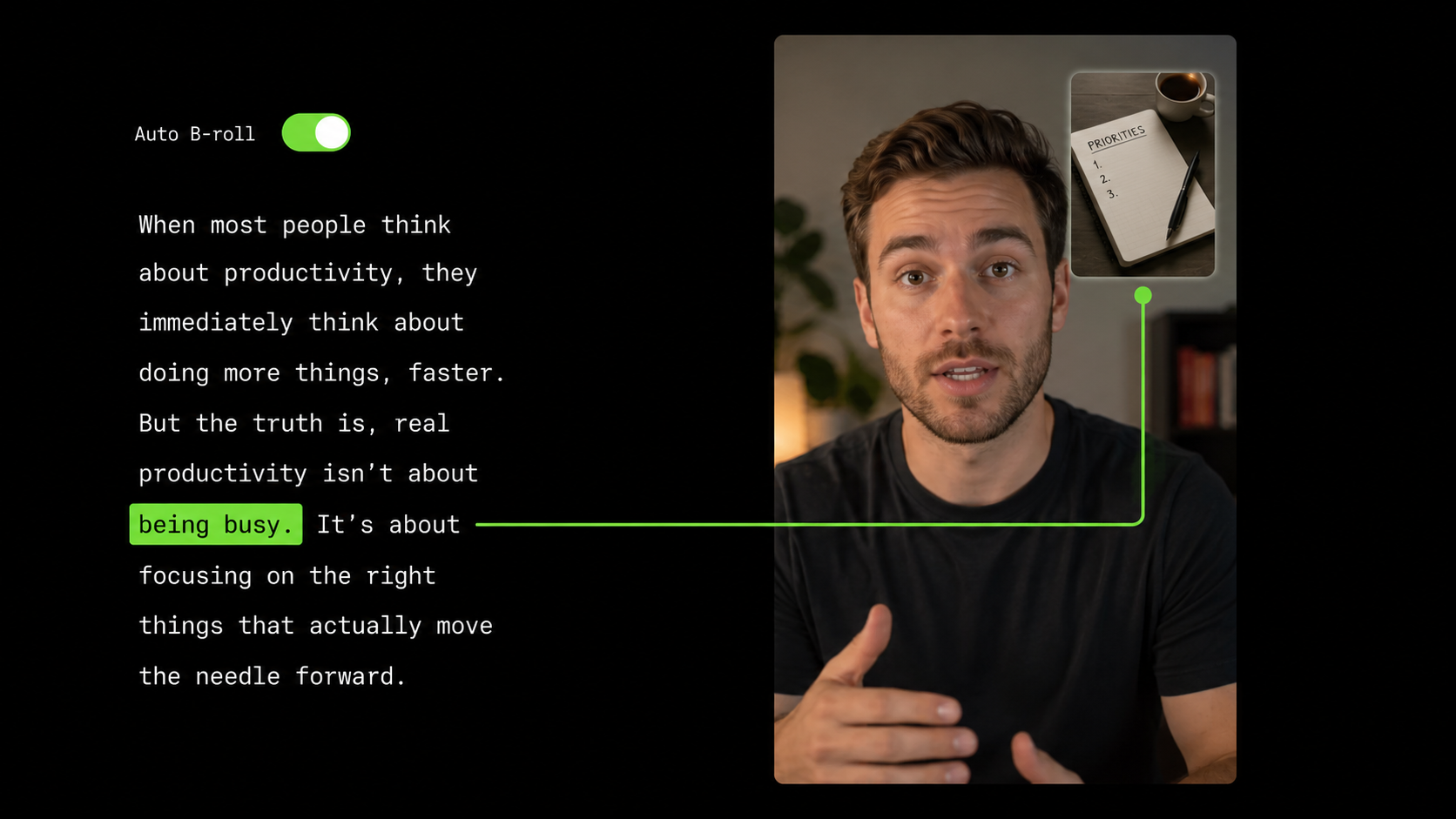
B-Roll Added Right Where It Fits

B-Roll Added Right Where It Fits

The AI reads what you're saying and adds images, GIFs, and graphics at the right moments. Transitions and sound effects are included and everything is easy to customize.

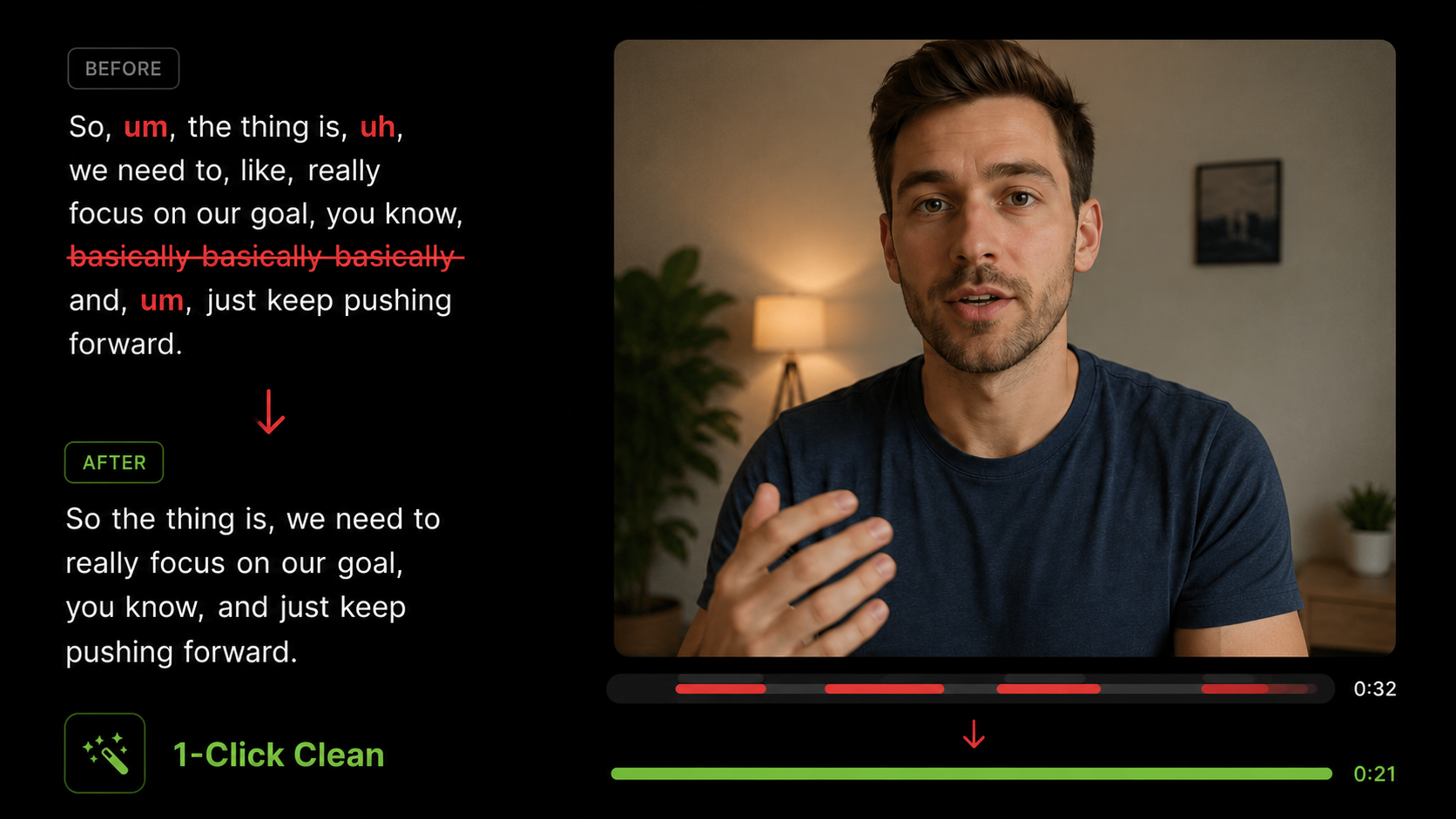
Clean Up Your Audio in One Click

Clean Up Your Audio in One Click

Filler words, long silences, and recording mistakes are removed automatically. What's left is clean, clear audio — no manual editing needed.

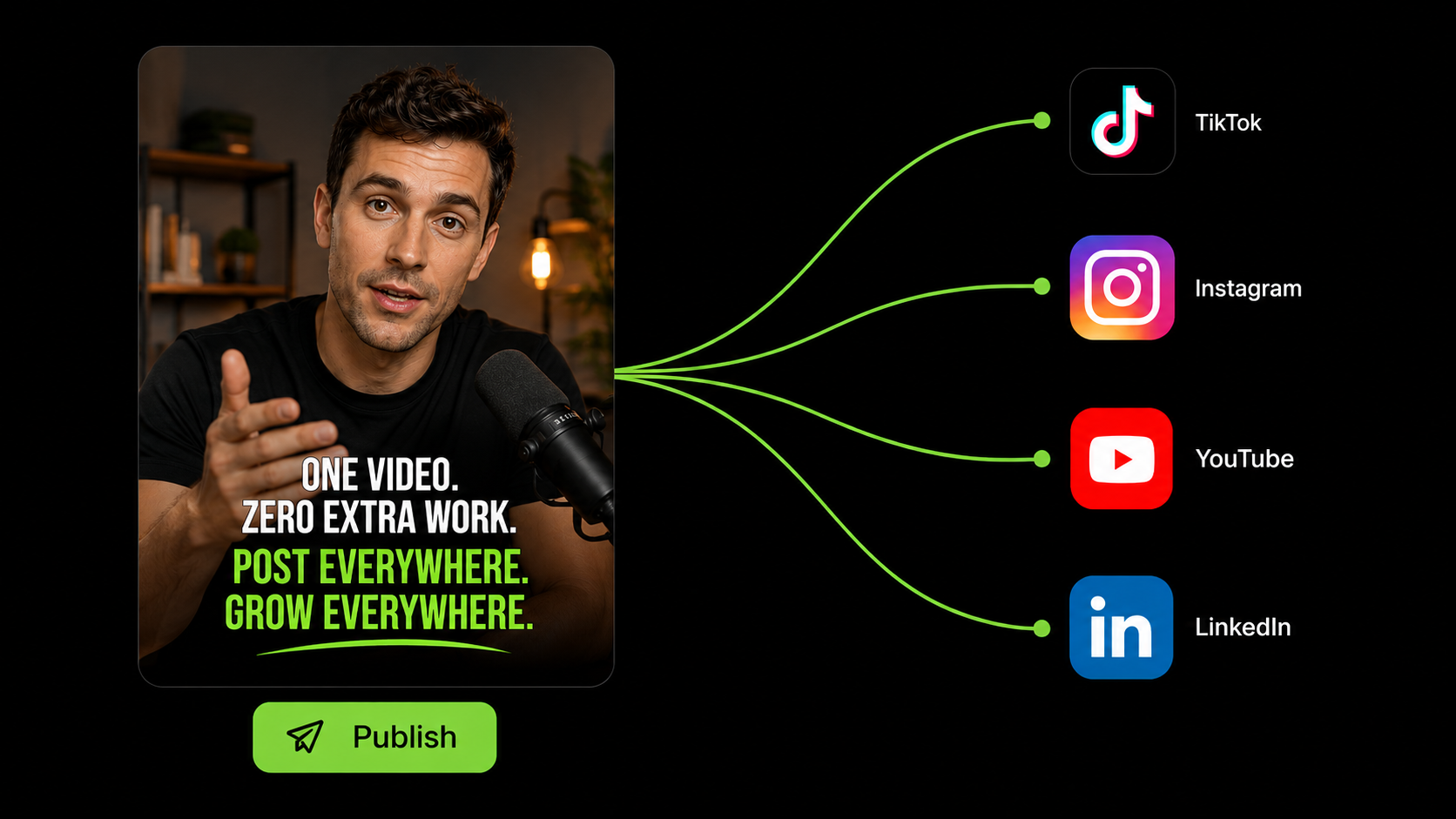
Publish Once, Show Up Everywhere

Publish Once, Show Up Everywhere

Schedule or publish your shorts straight to TikTok, Instagram, YouTube Shorts, LinkedIn and Facebook Page. No downloading, no switching apps — NextClip handles distribution for you.

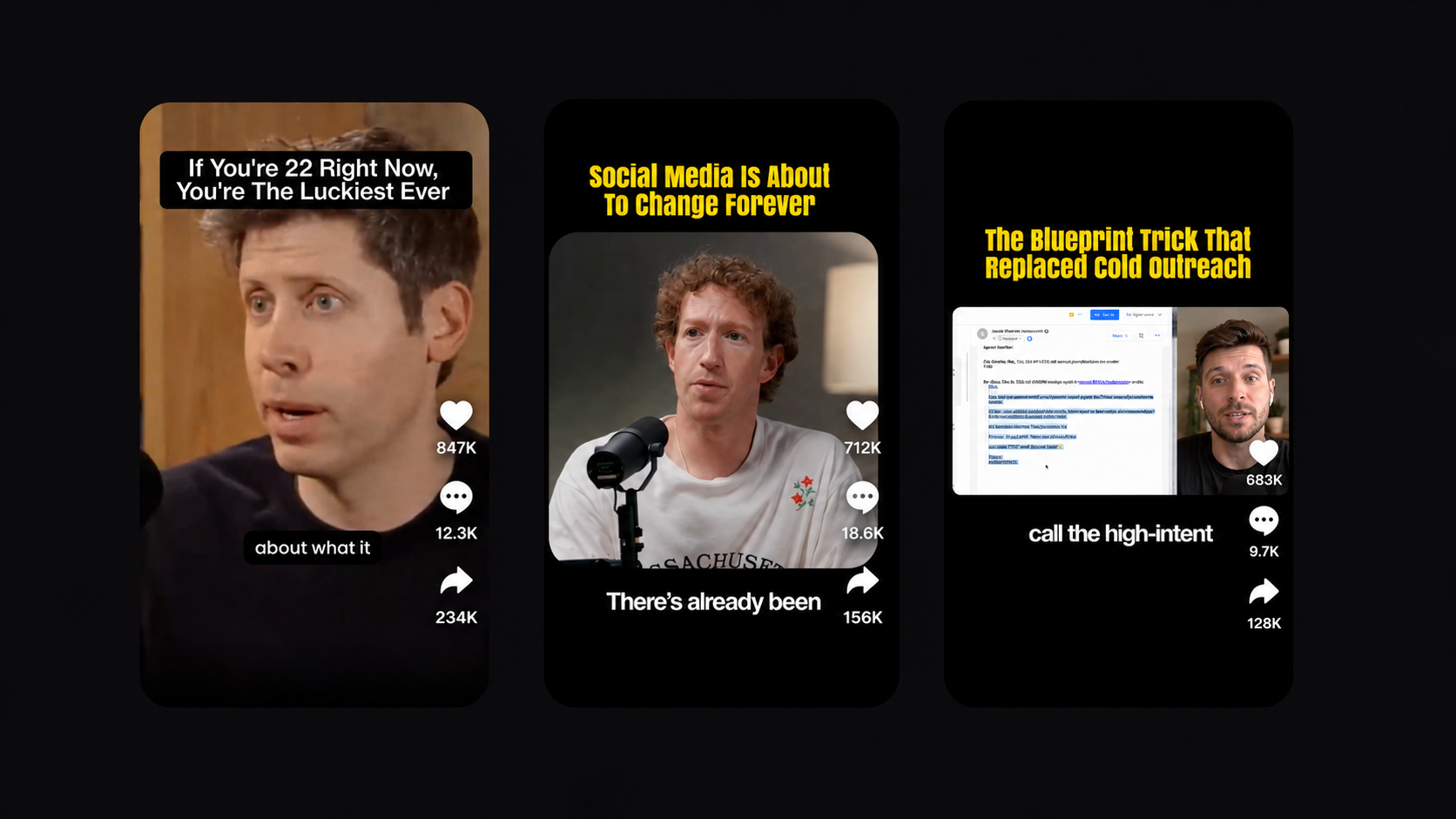
A Scroll-Stopping Frame, Built Automatically

A Scroll-Stopping Frame, Built Automatically

Upload any video and NextClip builds the layout for you — centered footage, a bold hook on top, and clean captions below. A polished, ready-to-post format in one click.

Go From Long Video to Viral Short in 3 Steps

Let AI do the heavy lifting while you stay creative.

Drop your video or paste a link

Upload any long-form video or paste a YouTube URL. Podcasts, interviews, vlogs, webinars. NextClip takes it from there.

AI handles everything

The AI scans every second for viral moments, writes hook text, adds scroll-stopping captions, drops in B-roll, cleans your audio. You don't touch a thing.

Publish on your schedule.

Post directly to TikTok, Instagram, YouTube Shorts, LinkedIn and Facebook Page the moment they're ready — or queue them up and let NextClip publish automatically while you move on to the next video.

Investing in Your Growth

🎉 Save up to 35% with annual billing

Starter

For new creators just getting started

$12/month

Billed yearly · Save $72/yr

Get Started
  • 200 credits/month1 credit = 1 minute of video processed. Credits reset every billing cycle and unused credits don't roll over.
  • AI finds your best viral moments
  • Scroll-stopping caption templates
  • Auto B-roll, text overlays & transitions
  • One-click filler & silence removal
  • Export to 9:16, 1:1 and 16:9 formats
  • AI Viral text hook & Templates
  • Export in crisp 1080p HD
  • Transcript based editing
  • 30 custom brand themes
Most Popular

Professional

For creators growing their audience

$25/month

Billed yearly · Save $168/yr

Get Started
  • 500 credits/month1 credit = 1 minute of video processed. Credits reset every billing cycle and unused credits don't roll over.
  • AI finds your best viral moments
  • Scroll-stopping caption templates
  • Auto B-roll, text overlays & transitions
  • One-click filler & silence removal
  • Export to 9:16, 1:1 and 16:9 formats
  • AI Viral text hook & Templates
  • Export in stunning 2K Ultra HD
  • Connect up to 20 social accounts
  • Transcript based editing
  • Unlimited brand themes
  • 2× faster processing

Business

For agencies and high-volume teams

$40/month

Billed yearly · Save $228/yr

Get Started
  • 1,000 credits/month1 credit = 1 minute of video processed. Credits reset every billing cycle and unused credits don't roll over.
  • AI finds your best viral moments
  • Scroll-stopping caption templates
  • Auto B-roll, text overlays & transitions
  • One-click filler & silence removal
  • Export to 9:16, 1:1 and 16:9 formats
  • AI Viral text hook & Templates
  • Export in cinema-grade 4K Ultra HD
  • Connect up to 50 social accounts
  • Transcript based editing
  • Unlimited brand themes
  • 3× faster processing
  • 24/7 priority support

You’re 5 Minutes Away From Your Best Video Yet.

Every podcast episode, interview, and vlog you've recorded is full of moments people would stop scrolling for. NextClip finds them, polishes them, and gets them in front of your audience — in minutes, not hours.

Get Started For Free

No credit card required

Frequently Asked Questions

What makes NextClip different from OpusClip and similar tools?

Most clipping tools stop at finding the moment. You still get a rough cut with broken captions, random B-roll, and an editor you have to fight to fix it. NextClip goes further — it finds the clip, adds contextually relevant B-roll, a text hook, scroll-stopping captions, and clean audio, then hands you a short that's actually ready to post. No fixing required.

Does the AI actually pick the right moments?

It's designed to find genuine hooks — strong openings, emotional peaks, surprising statements, and quotable moments — not just the loudest parts. And if you disagree with a clip, you're always in control. Reject it, trim it, or highlight any part of the transcript yourself to build your own clip exactly where you want it.

What kind of videos work best with NextClip?

Anything with spoken content — podcasts, YouTube videos, interviews, webinars, educational content, vlogs, and talking-head videos. If someone is speaking, NextClip can find what's worth clipping.

What exactly is a credit?

1 credit = 1 minute of video processed. Upload a 30-minute podcast and it uses 30 credits. A 60-minute interview uses 60. That's it — no hidden multipliers, no per-clip charges. You only pay for the video length you process, regardless of how many clips come out of it.

How long does it take to process a video?

Most videos are ready in just a few minutes. A 60-minute podcast typically takes under 4-6 minutes from upload to finished clips. Processing time scales with video length, but you'll never be waiting long — and you'll get an email the moment your clips are ready.

Can I publish directly from NextClip, or do I need to download first?

Either way. Publish straight to TikTok, Instagram, YouTube Shorts, LinkedIn, and Facebook Page from inside NextClip, schedule them for later, or download your clips to post manually — whatever fits your workflow.

Can I customize the captions, text hooks, and B-roll?

Absolutely. Every clip includes automatic styling, but you're always in control. Swap fonts, colors, sizes, and animations in seconds to match your brand. Edit the hook text, adjust B-roll placement, and trim clips — no timeline required.

Can I cancel anytime?

Yes — no contracts, no cancellation fees. Cancel any time from your account settings. Monthly subscribers keep access until the end of their billing period; annual subscribers keep access through their paid period. No runaround.